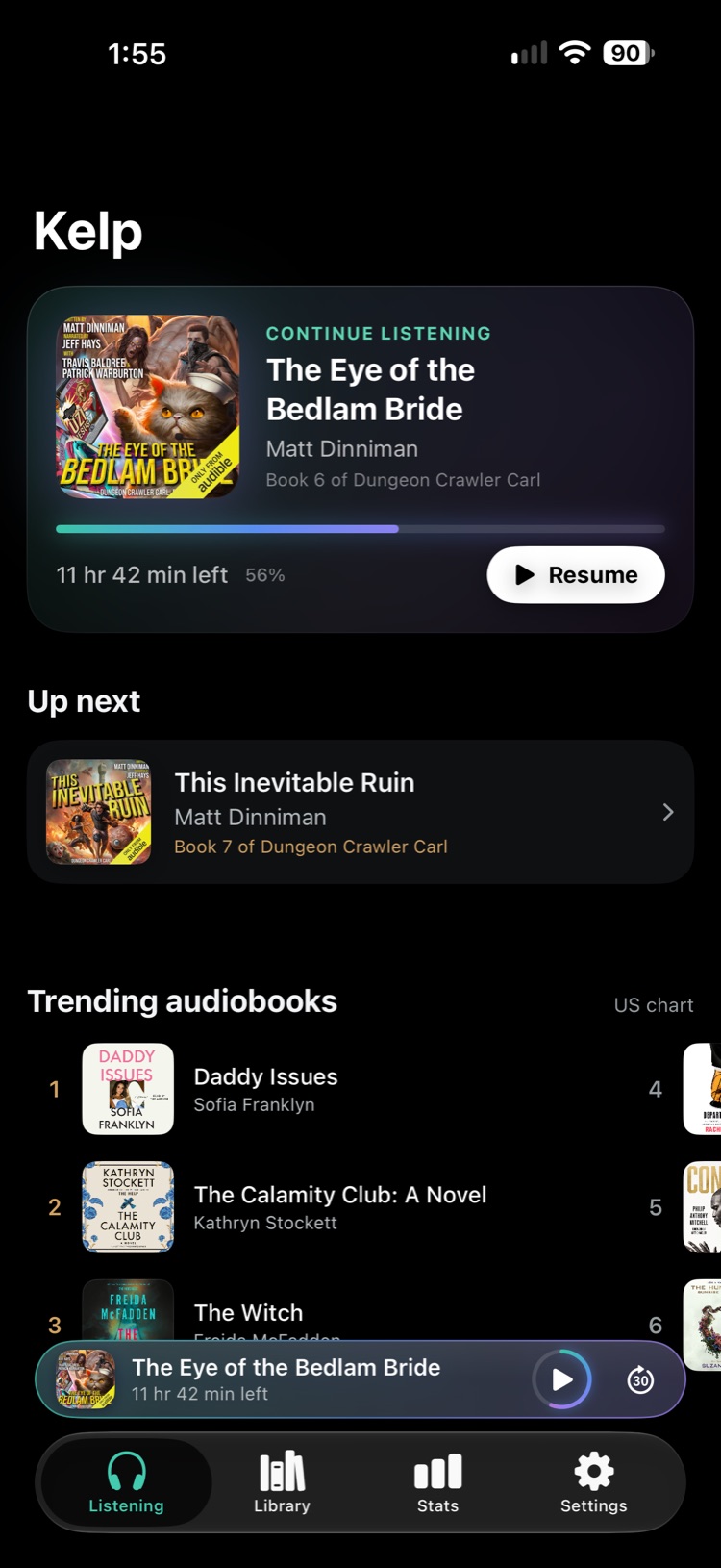
01 Listening
Right where you left off.
Continue listening leads with the time left and a Resume button. Up next is the next book in the series, and the chart shows what everyone else is hearing.
 OtterSuite
Kelp for iPhone
A native iPhone player for the books you already own. Calm, dark and quick, so the story is the only thing on the screen.
01 Listening
Continue listening leads with the time left and a Resume button. Up next is the next book in the series, and the chart shows what everyone else is hearing.
02 Library
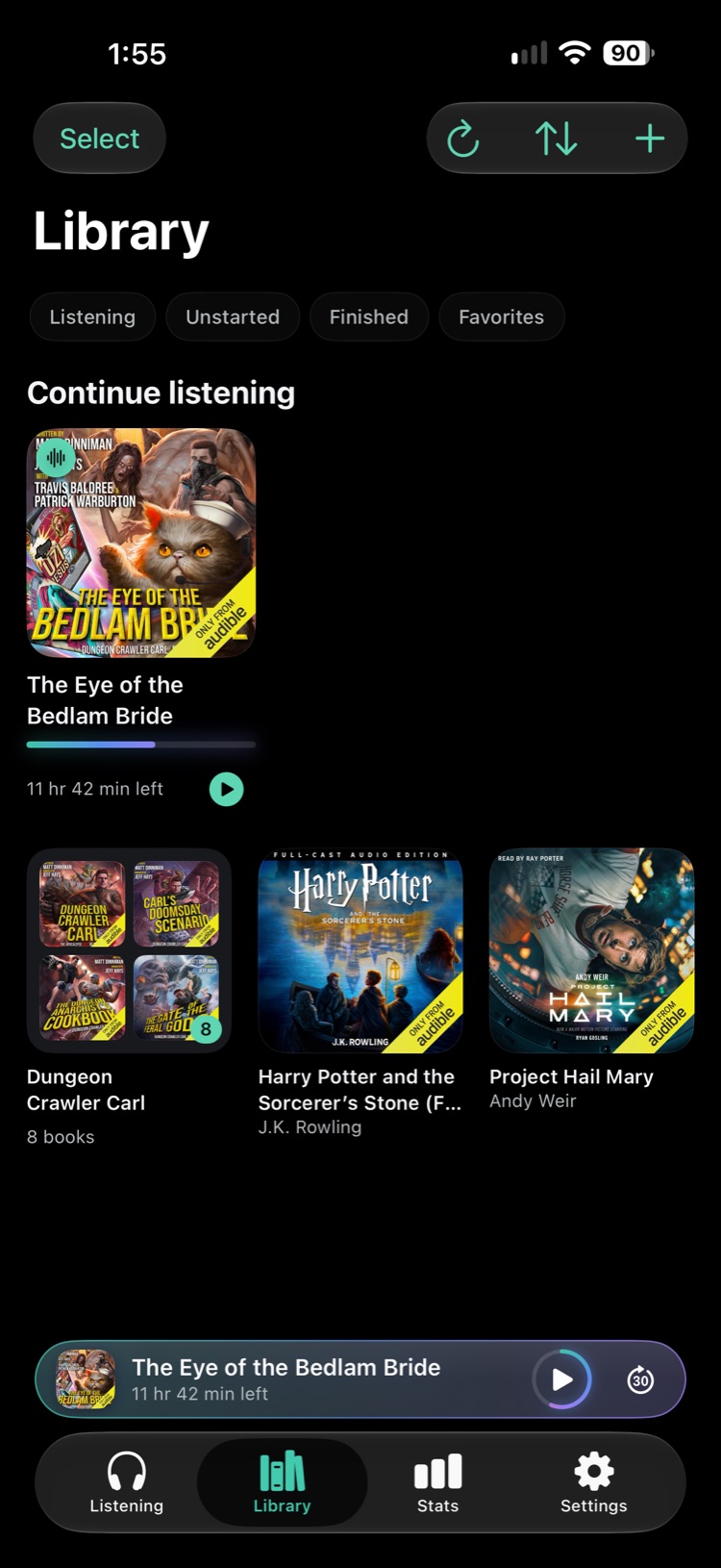
A series becomes its own shelf, in reading order, so book two never sits above book one. Everything else files under its author. Covers, narrators and series come from the audiobook catalog when the match is certain.
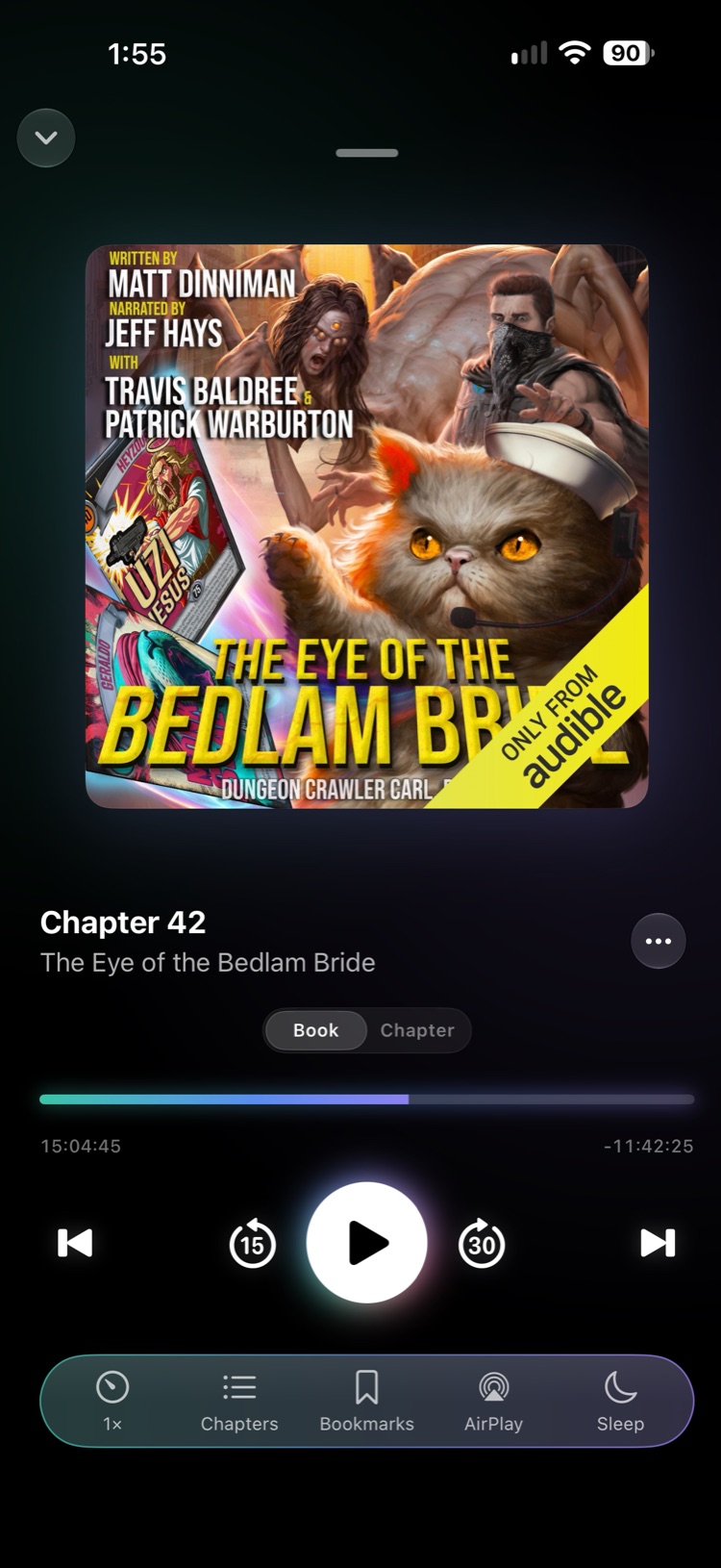
03 Player
The cover is lit from behind and the play button breathes while it plays. The chapter takes the headline, and one switch reads the timeline as the whole book or just this chapter.
04 Playback
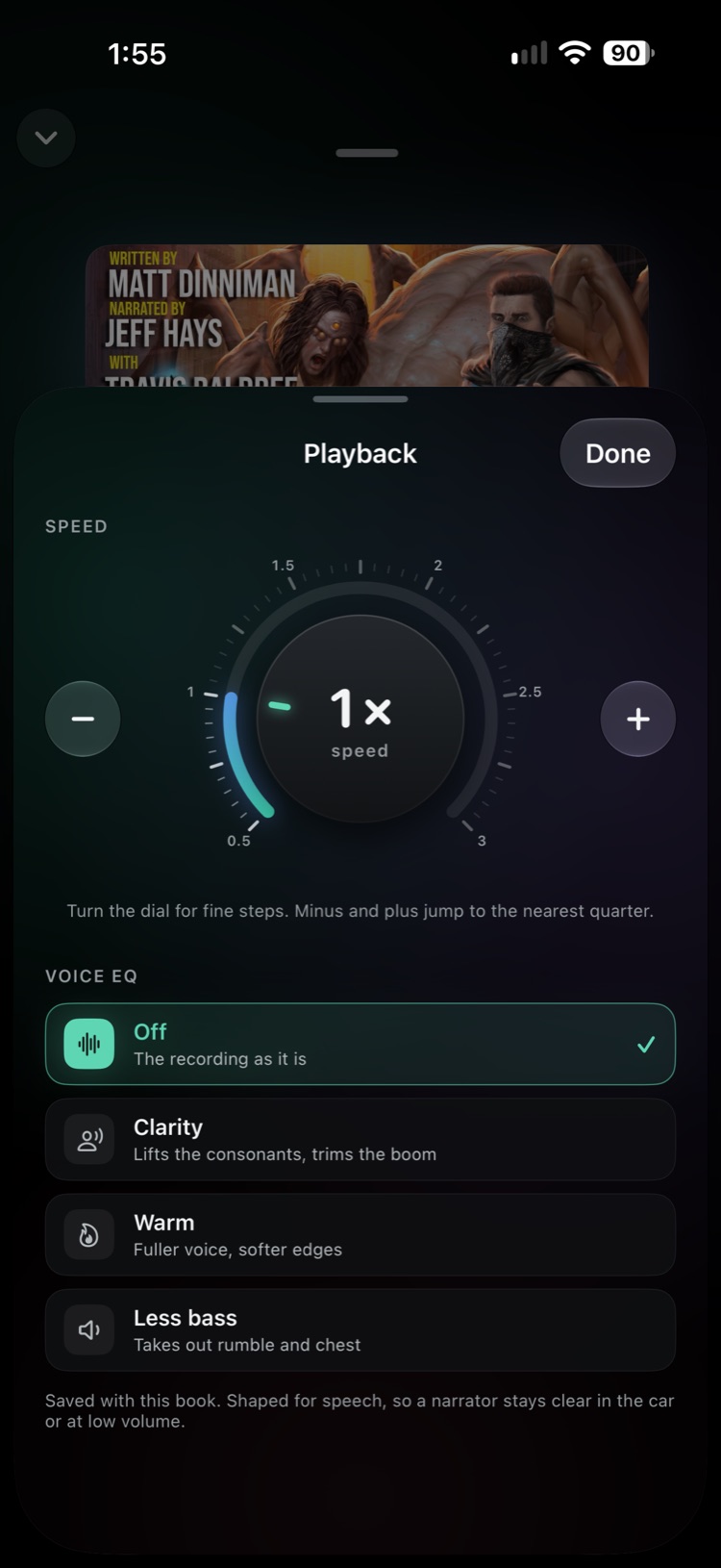
Turn the dial from 0.5× to 3× in fine steps. Voice EQ shapes the narrator for the car or low volume, with Clarity, Warm or Less bass, saved with each book.
The details
Drifting off with the sleep timer running? Give the phone a shake and Kelp adds ten minutes, confirmed with a tap of haptics. Rolling over in bed doesn’t count.
Mark the spot without typing. Name it later, from the book’s page.
When a book ends, Kelp plays the next unfinished one in the series.
Connect Audiobookshelf or BookOrbit and their shelves appear on Home, beside yours.
Switch apps or close Kelp. iOS finishes the download and hands it back.
A Live Activity carries the cover and title, with the system’s own controls.
Send the book to a speaker or the car from the player’s bottom bar.
SwiftUI and AVFoundation, with Liquid Glass, swipe back and natural-sounding speed. Nothing ported.
Stats
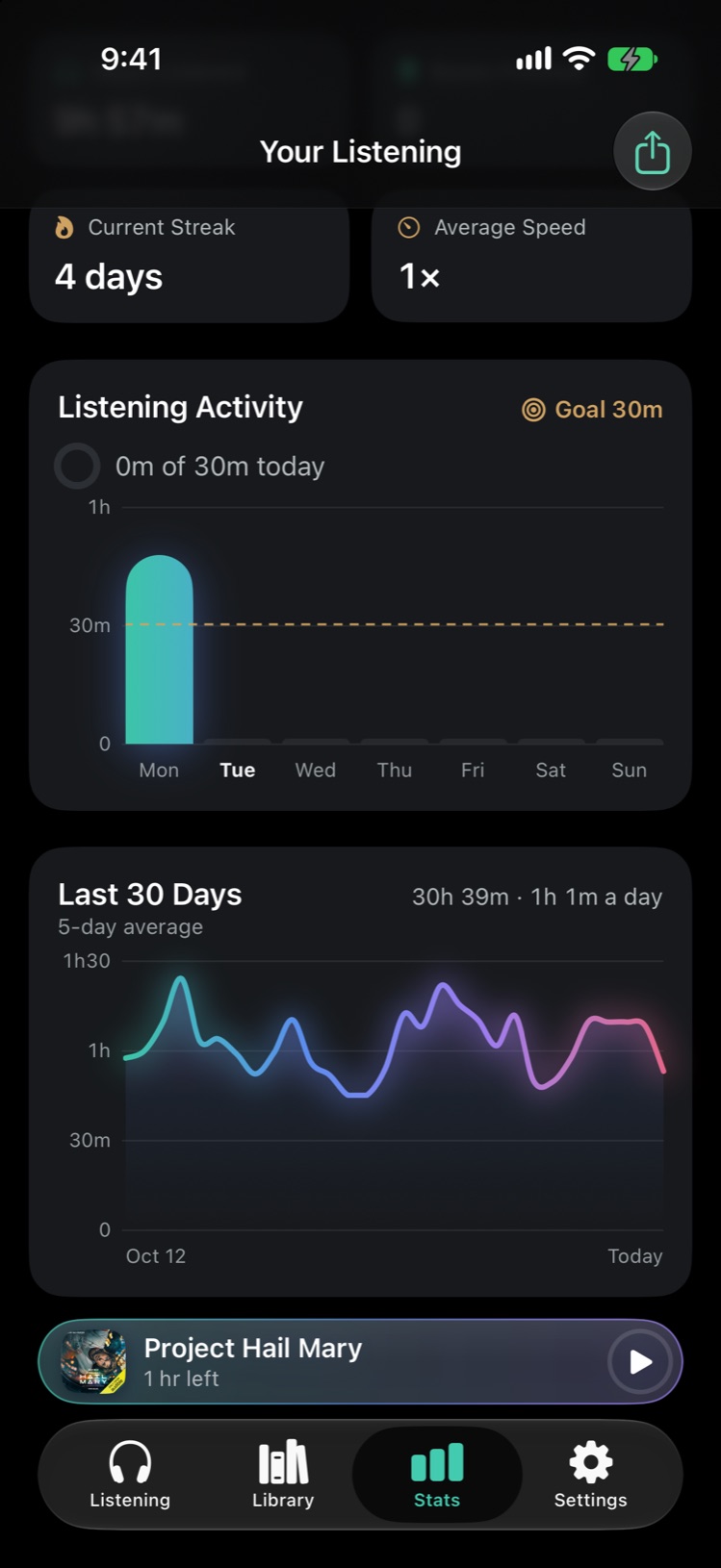
Hours listened, books finished, your current streak and average speed, for this month, this year or all time. Time is counted on the clock, so listening at 2× is never counted twice.
Your library stays on your iPhone. Books, progress, bookmarks and listening history are kept on the device. There is no Kelp account.
Lookups say as little as possible. Only a title or search term leaves the phone, and only when Kelp looks a book up.
Sign-ins live in the Keychain. Kelp only reads from a server you connect, and its credentials are never stored with your books.
In public beta on TestFlight now. Requires iOS 17 or later.